Product
Detect. Protect. Investigate.
One dashboard for live detection, policy and incident review.
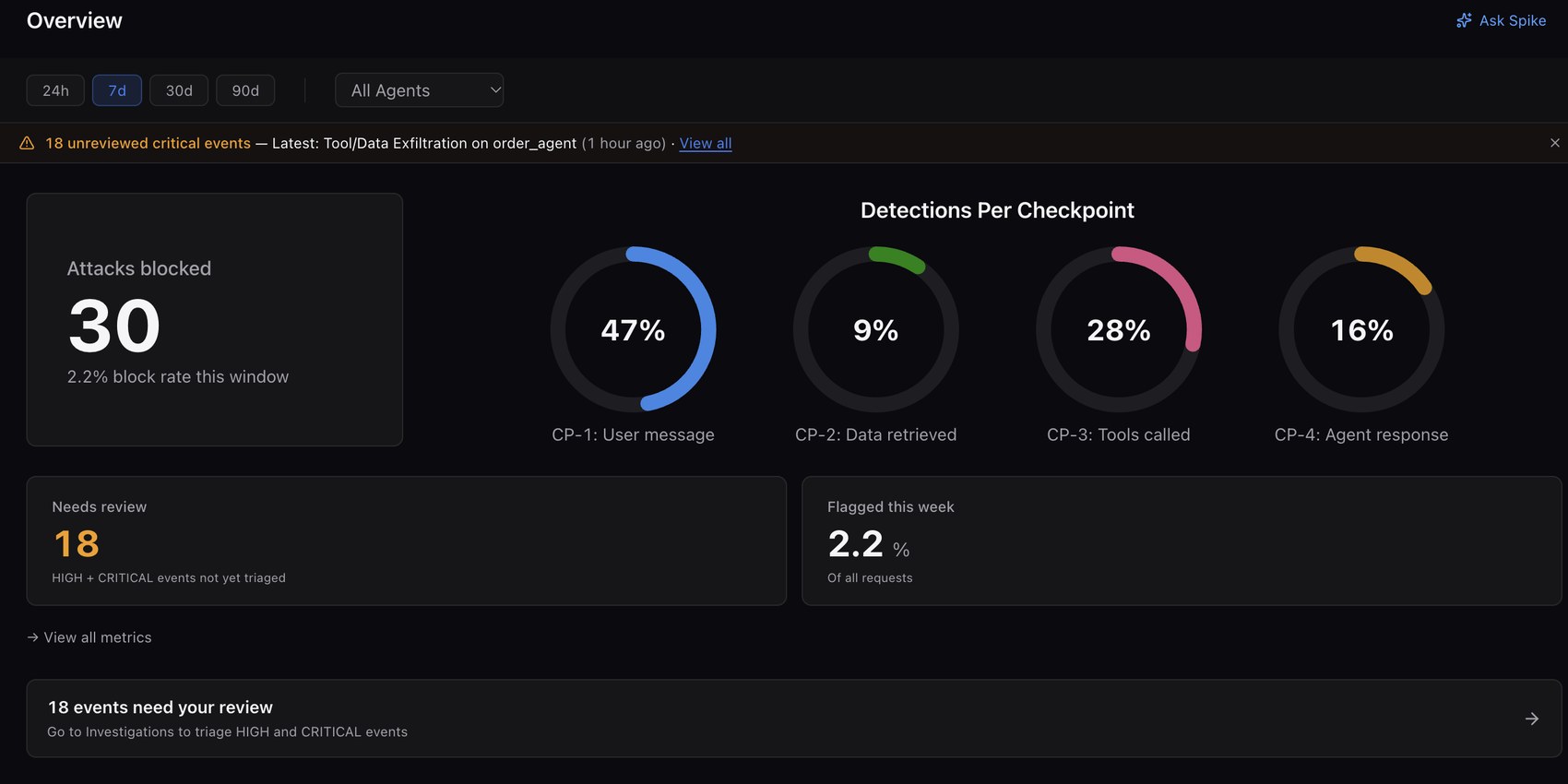
Live detection across all four checkpoints, with attacks blocked and critical events flagged for review.
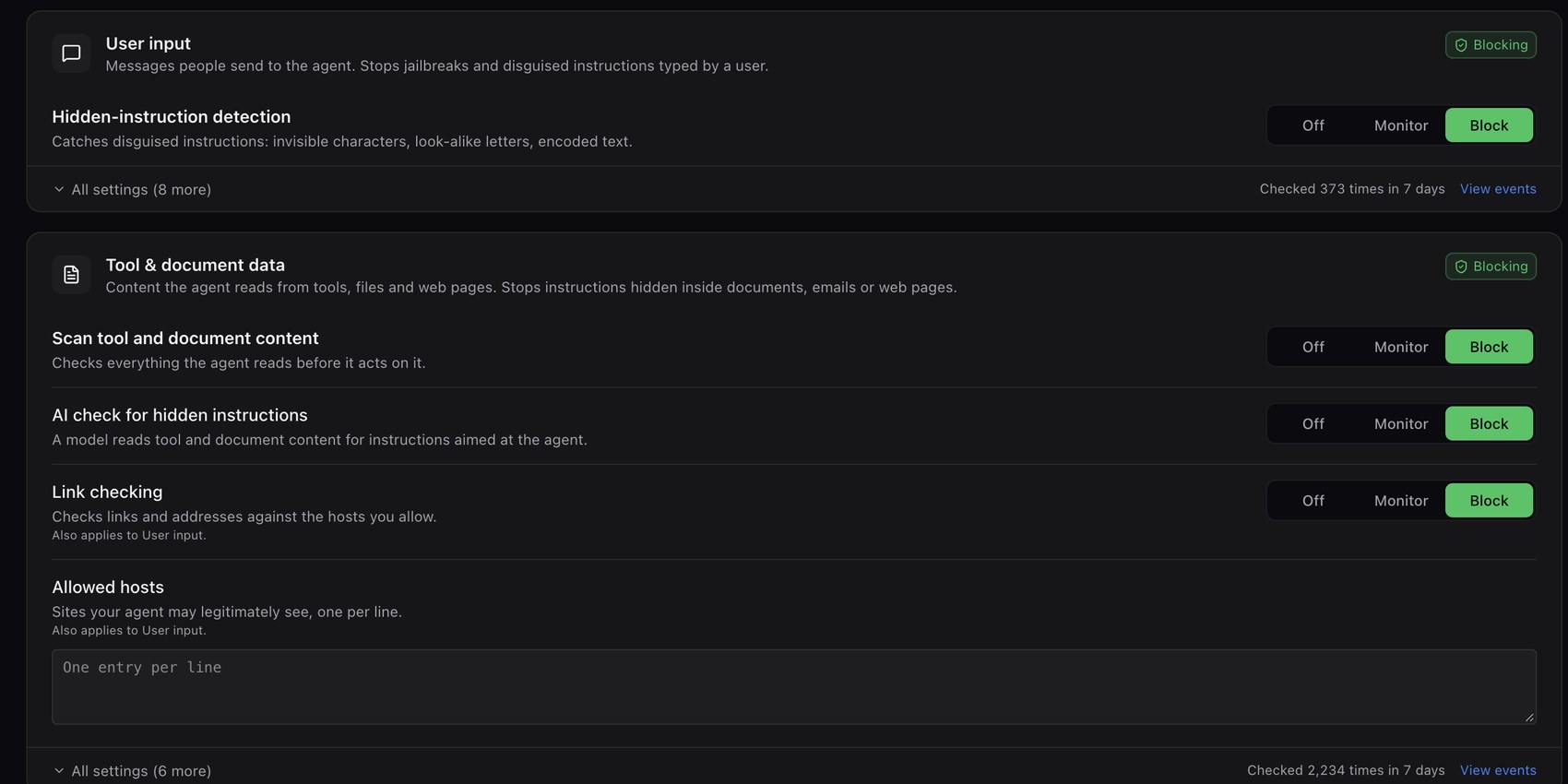
Choose Off, Monitor or Block for each check.
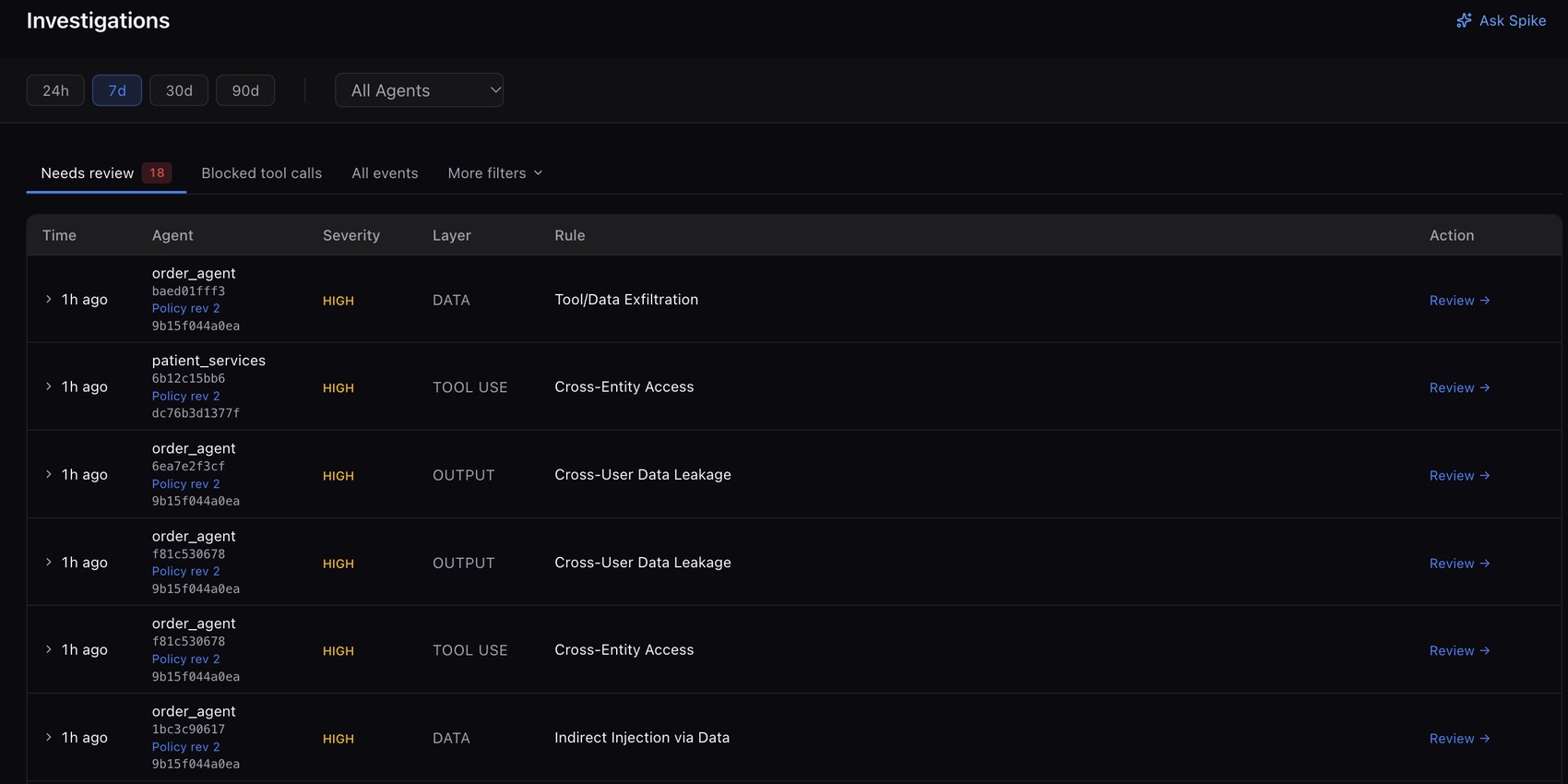
Every event is logged with the agent, layer and rule, ready to review and triage.
Walkthrough
See it work in two minutes.
Where Guard sits in the agent loop, a blocked request at each checkpoint, then the same events in the dashboard and in Slack.
The full walkthrough
7 MIN · WITH NARRATIONProtect
Off, Monitor or Block, check by check.
Choose Off, Monitor or Block for each check. Each section shows how many times it checked in the last 7 days.
Messages people send to the agent. Stops jailbreaks and disguised instructions typed by a user.
Content the agent reads from tools, files and web pages. Stops instructions hidden inside documents, emails or web pages.
Also in the dashboard
Built for the people who run it.
Incident review
Open any flagged event, then confirm the block, mark a false alarm or escalate it.
Policy management
Draft a change, test it against saved cases, then publish with a version history that records what changed and why.
Analytics
Ask Spike questions about your live threat data, and generate an audit report that maps findings to OWASP.
Slack and access
Alerts post to Slack with Correctly blocked, False positive and Escalate buttons. Access is role-based: owners, admins and viewers.
Next
See what is running inside the loop.
Four checkpoints inspect what the agent reads, calls and says.